
Integrate Tiketo Chat
Tiketo configures the chatbot; you connect it to your website.
Your Tiketo contact will give you access and separate client IDs for staging and production. Client IDs are public routing values, not secrets. The examples use TC-XXXXXXXX.
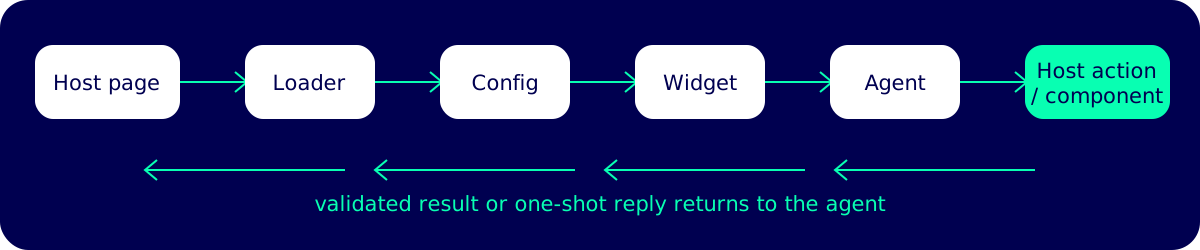
page → loader → config → widget → agent → host action/component → validated result or reply
Responsibilities
Section titled “Responsibilities”| Tiketo | Your development team |
|---|---|
| Configures and publishes the chatbot, knowledge base, allowed origins, and supported contracts. | Adds the loader and the client ID for the matching environment. |
| Hosts the loader, chat widget, configuration endpoint, and shared components. | Supplies approved page context and keeps SPA integrations current. |
| Provides action and component names, schemas, and the minimum supported embed version. | Implements the requested handlers and renderers, then updates pinned loaders when a contract changes. |
Promotes tested embed versions to stable. |
Handles authorization, idempotency, accessible UI, and host-side cleanup. |
The chatbot can only call contracts enabled in its public configuration. Registering an arbitrary name does not add a new action or component.
Choose your next step
Section titled “Choose your next step”- New integration: follow the quickstart.
- Adding site behavior: read host actions.
- Rendering site-owned UI in chat: read components.
- Using React or an SPA: read the React guide.